3 Tips to Extend Your Home Battery Backup Runtime
Home battery backup runtime depends on two simple factors: how much energy your system stores and how quickly your home uses it. During an outage, many homeowners focus on battery size alone, but dail...
28/10/2026
Home battery backup runtime depends on two simple factors: how much energy your system stores and how quickly your home uses it. During an outage, many homeowners focus on battery size alone, but daily habits and system settings often make just as much difference. If your backup power seems to run out too quickly, you can usually extend it by cutting unnecessary loads, improving battery efficiency, and adding charging or storage when your needs grow. These practical steps help keep critical appliances running longer without overcomplicating your setup. Whether you want to support a refrigerator, internet router, lights, or larger home circuits, the right strategy can stretch every stored kilowatt-hour and make your home battery backup more dependable during blackouts.
Tip 1: Reduce Power Use During an Outage
Prioritize Essential Appliances and Turn Off Extras
The fastest way to extend battery backup for home runtime is to reduce demand the moment an outage starts. Focus first on essential appliances such as the refrigerator, freezer, a few lights, phone chargers, medical equipment, and your internet modem or router. Then switch off everything that does not directly support comfort, safety, or food preservation. Televisions in unused rooms, decorative lighting, gaming systems, spare appliances, and plugged-in devices with standby draw all consume power that shortens runtime. If your backup system powers multiple circuits, create an outage plan ahead of time so everyone in the home knows what stays on and what gets turned off. Clear priorities prevent wasted energy and help your battery last through longer grid interruptions.
Avoid Running High-Wattage Devices Together
Large electrical loads drain stored power much faster than small essentials. Space heaters, electric ovens, clothes dryers, water heaters, and air conditioners can consume a significant share of your battery capacity in a short period, especially when several start at once. To extend runtime, avoid using high-wattage devices together and delay nonessential tasks until grid power returns. If you must use a large appliance, run it briefly and by itself whenever possible. It also helps to understand startup surges, since motors and compressors often draw extra power when turning on. Staggering those loads reduces strain on the system and preserves energy for the appliances that matter most. Smart load management can add meaningful hours to your backup window.
Tip 2: Improve Your Home Battery’s Efficiency
Maintain Proper Temperature and Battery Health
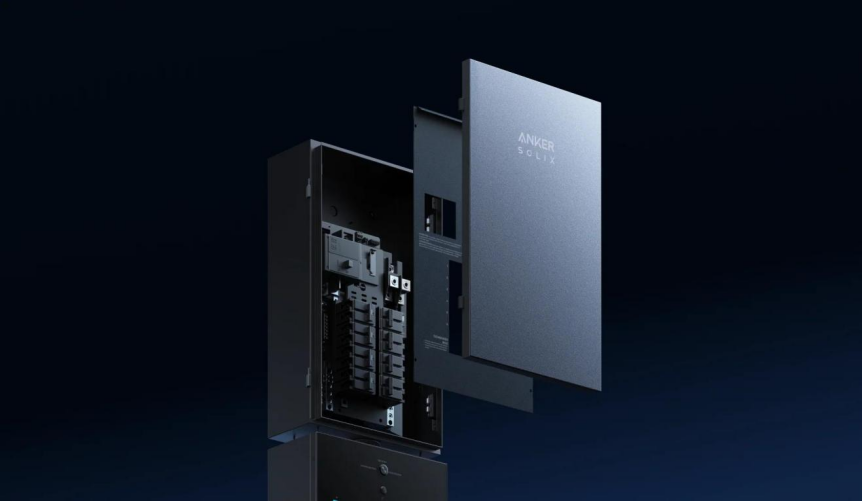
Battery performance improves when the system operates within its recommended temperature range and receives regular care. Excessive heat speeds up degradation, while extreme cold can temporarily reduce available output and charging performance. Install and operate your backup system in a suitable location, and follow manufacturer guidance for ventilation, weather protection, and maintenance. For example, the Anker SOLIX E10 Whole-Home Backup uses Li-ion LFP batteries rated for 4,000+ cycles and operates from -4 °F to 131 °F (-20 to 55 °C), with a NEMA Type 4 (IP66) enclosure for added protection. Even with durable hardware, routine inspections, updated firmware, and healthy charging habits help preserve efficiency. A battery in good condition delivers more usable energy when you need backup power most.
Adjust Backup Settings to Reduce Energy Waste
Many home battery systems let you control how and when stored energy is used, and those settings can directly affect runtime. Review your backup configuration and make sure only priority circuits are included during outages. If your system offers load scheduling, reserve settings, or smart energy modes, use them to limit waste and protect capacity for essential needs. Lowering noncritical consumption before the battery reaches a low state of charge can prevent unnecessary shutdowns and extend support for must-run appliances. It is also helpful to check transfer behavior and automation rules so the battery does not power equipment that should stay off during an outage. Small setting changes often produce noticeable gains without requiring any new hardware or complicated upgrades.
Tip 3: Add More Backup Power When Needed
Calculate Your Home’s Battery Backup Runtime
If your battery still runs out too soon, calculate your expected runtime so you can match backup capacity to actual usage. Start by listing the appliances you want to run and their wattage, then total the load. Divide your battery’s usable watt-hours by that number to estimate runtime. For instance, a 6,144 Wh battery powering a 600 W essential load would deliver roughly 10 hours before conversion losses and reserve settings. This simple calculation shows why reducing demand matters so much. It also helps you identify whether short runtime is caused by battery size or excessive household load. Once you know your typical outage consumption, you can make better decisions about settings, appliance priorities, and future backup expansion.
Extend Runtime With Solar Charging and Expandable Batteries
When outages last longer or your essential loads are higher, adding generation or storage is the most reliable way to extend runtime. Solar charging can refill the battery during daylight and reduce how quickly stored energy is depleted overnight. Expandable battery systems also let you scale capacity instead of replacing your entire setup. The Anker SOLIX E10 Whole-Home Backup supports 6,144 Wh per battery and up to 30 kWh total capacity with one power module, plus 9 to 27 kW solar input, making it easier to build for longer outages. It also supports seamless switchover in 20 ms or less. If your home regularly needs refrigeration, communication, lighting, and HVAC support, added storage and solar input offer a practical long-term runtime solution.
Conclusion
To extend your home battery backup runtime, take three direct steps: reduce power use during outages, improve battery efficiency, and expand your backup resources when needed. Start with the easiest win by powering only essential appliances and avoiding large loads at the same time. Then make sure your battery system is operating in the right conditions and configured to prioritize critical circuits. Finally, calculate your actual runtime so you can decide whether more storage or solar charging would solve the problem. These actions give you better control over limited stored energy and help prevent unnecessary drain. A well-managed battery backup system does more than keep the lights on for a while. It keeps your most important home functions running longer, more efficiently, and with less stress.